Set up the x402 facilitator
To bridge HTTP requests with blockchain payments, you need a facilitator. This component handles the payment verification logic, allowing your API to accept crypto payments like USDC without writing complex smart contract interactions from scratch. You can choose from established providers like the Coinbase Developer Platform (CDP) or Thirdweb.
The setup process is straightforward: install the necessary SDKs, configure your environment variables, and initialize the facilitator in your application code. This creates the middleware that intercepts incoming requests, checks for payment status, and either grants or denies access to your data endpoints.
Select a facilitator that aligns with your existing infrastructure. Coinbase CDP offers a robust quickstart for sellers, while Thirdweb provides a flexible SDK for custom integrations. For most chain analytics APIs, starting with the provider that matches your preferred wallet or blockchain support is the most efficient path.

Run the package manager command to install the facilitator's client library. For example, if using Coinbase CDP, you would install their specific x402 SDK. This adds the necessary functions to your project that handle payment verification and response formatting.

Set up your .env file with the facilitator's API keys and wallet credentials. These variables authenticate your application with the facilitator service. Ensure these are kept secure and never committed to version control, as they control the payment flow for your endpoints.
Import the facilitator class and initialize it with your environment variables. This step creates the instance that will be used to verify payments. You will then attach this facilitator as middleware to your API routes, ensuring every request is checked against the x402 standard.
Once the facilitator is initialized, your API is ready to accept x402-compliant requests. The next step is to implement the actual endpoint logic that responds to these payments.
Configure payment middleware
To turn a standard analytics endpoint into an x402-compliant service, you need a middleware layer that intercepts requests before they reach your data logic. This middleware handles the payment verification, allowing your core API to remain clean and focused on data delivery.
1. Define the payment schema
Start by deciding how your data is priced. For analytics APIs, you generally choose between two models:
- Exact Price: A fixed cost per query or per unit of data. This is best for predictable, standardized endpoints (e.g., "Get last 24h ETH volume").
- Dynamic ('Up To') Pricing: A variable cost based on the complexity or volume of the request. This is ideal for open-ended queries where the data load differs significantly between calls.
Your middleware must parse the request parameters to determine which pricing tier applies. For dynamic queries, you might estimate the computational cost or data volume upfront to set a maximum charge, ensuring the buyer approves the potential cost before the heavy lifting begins.
2. Implement the verification logic
Your middleware needs to verify that a valid x402 payment has been received. This involves checking the Authorization header for a signed transaction or token. If the payment is missing or invalid, the middleware should return a 402 Payment Required status code with a clear error message.
Warning: Ensure your payment verification is idempotent. Analytics APIs often handle retries. If a buyer's transaction is pending or fails, your middleware should not charge them twice. Implement a check against a transaction ID or payment hash to prevent duplicate charges.
3. Attach payment metadata
Once payment is verified, attach the transaction details to the request context. This allows your downstream analytics logic to log who paid, how much, and for what data. This metadata is crucial for billing reconciliation and for ensuring that only paying users can access premium or high-volume data sets.
4. Test with a mock payment
Before deploying, test your middleware with a mock x402 payment. Use a testnet environment to simulate the payment flow. Verify that:
- Valid payments pass through to your analytics logic.
- Invalid or missing payments are blocked with a
402response. - Dynamic pricing correctly calculates the charge based on query parameters.
This step ensures that your payment logic does not break your existing API functionality.
5. Deploy and monitor
Deploy your middleware to your production environment. Monitor the logs for failed payment attempts and verify that the payment verification step does not introduce significant latency. If your analytics endpoints are high-traffic, consider caching payment verification results to avoid redundant blockchain lookups for the same transaction.


As an Amazon Associate, we may earn from qualifying purchases.
Test with agent payments
The x402 standard removes the human from the loop, allowing AI agents to trigger data endpoints programmatically using stablecoins. Instead of relying on static API keys or manual billing, agents negotiate payment in real-time, typically using USDC, to unlock specific analytics queries.
This section walks through the sequence of an automated payment flow. We use Allium as the primary example, as their documentation explicitly outlines how agents can interact with x402-enabled endpoints without human intervention Allium x402 Guide.
The agent constructs a request to the target endpoint. The server responds with a 402 Payment Required status, including a Paywall header that specifies the price, the required cryptocurrency (e.g., USDC on a specific chain), and the recipient wallet address.
Using its integrated wallet, the agent signs a transaction for the exact amount specified in the header. This transaction is broadcast to the blockchain. The agent waits for the transaction to be confirmed on-chain, ensuring the payment is final before proceeding.
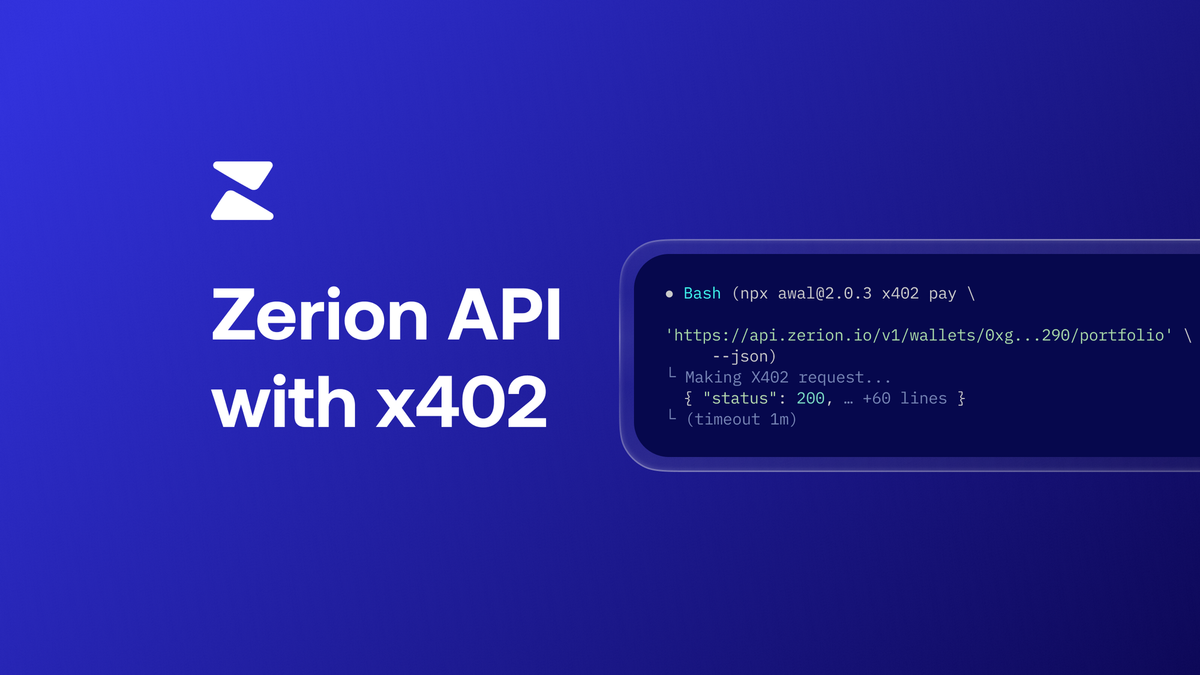
The server monitors the blockchain for the transaction. Once confirmed, it validates the signature and amount. The server then re-processes the original request, this time returning the requested analytics data or API response as if the user had paid manually.
This flow enables true micropayments for chain analytics. Because the payment is atomic and programmatic, an agent can execute thousands of queries per day without manual oversight, scaling data consumption based on real-time value rather than fixed subscription tiers.
Monitor and settle revenue
Once your x402 endpoints are live, the next priority is tracking usage and ensuring payments settle correctly. You need to see which analytics queries generated revenue and verify that each transaction reached the blockchain. This real-time visibility prevents revenue leakage and keeps your data accurate.
Track usage with x402 data APIs
Bitquery provides the infrastructure to monitor server activity and payment transactions in real-time. Instead of guessing which queries paid, you can query the ledger to attribute revenue to specific analytics requests. This ensures that every dollar earned is tied to a concrete data action.
Verify settlement stability
When settling micropayments, currency volatility can eat into your margins. Using a stablecoin like USDC minimizes this risk. You can verify that settlements are processed correctly by monitoring the transaction status on-chain.
| Metric | API Tracking | Blockchain Ledger | Reconciliation |
|---|---|---|---|
| Granularity | Per-query | Per-transaction | Aggregate |
| Latency | Real-time | Block confirmation | Batched |
| Attribution | High | Medium | Low |
| Cost | Low | Gas fees | Labor |
USDC/USD stability ensures predictable revenue for x402 settlements.
Automate reconciliation
Manual reconciliation is error-prone. Use the data from Bitquery to automatically match API calls with on-chain transactions. This reduces the need for manual audits and keeps your books clean.
Common integration mistakes
Even with the x402 specification clear, small oversights in implementation can break your analytics API. Developers often treat the protocol like a standard OAuth flow, missing the specific header requirements that distinguish machine-to-machine micropayments. These errors usually surface as 402 Payment Required loops or silent failures when agents try to access your data.
The most frequent pitfall is incorrect header handling. The MICROPAYMENTS header must contain the exact payment URI and the transaction ID. If you validate the signature against the wrong payload or fail to include the MICROPAYMENTS header in your response when payment is due, the client cannot complete the flow. Always verify that your endpoint returns the MICROPAYMENTS header with a valid URI when the initial request lacks sufficient funds.
Another common error is failing to expose the payment URI correctly. Your endpoint must clearly communicate where the agent should send the payment. If the URI is malformed or points to a non-existent endpoint, the integration stalls. Use the official Quicknode x402 guide to ensure your URI structure matches the expected format.
Before launching, run through this validation checklist to catch these issues early.
Frequently asked questions about x402
Here are the most common technical questions about using x402 for chain analytics APIs.
No comments yet. Be the first to share your thoughts!